
Download Movavi Screen Capture – screen recording, video tutorial, game recording, voiceover, online sharing, screen capture tool, desktop recording, video editing, movavi, high-quality recording
Overview
Movavi Screen Capture is a dedicated screen recording application designed to capture every visual and audio element displayed on a computer screen. Tailored for users who need to document digital content, this tool supports a range of use cases including the creation of instructional videos, gameplay recordings, virtual meetings, and web-based content capture. The software enables seamless recording of both system audio and microphone input, allowing for professional-grade voiceovers and commentary. Its focus on high-fidelity output makes it suitable for both casual users and content creators seeking reliable performance.
The app is developed by Movavi, a company known for multimedia tools, though specific details about the company’s background were not provided. Movavi Screen Capture is positioned within the Productivity category, reflecting its utility in professional workflows and educational environments. Users benefit from a streamlined interface that simplifies complex recording tasks, making it accessible even to those with minimal technical experience. Real-world applications include training employees, producing online courses, documenting software bugs, and archiving live streams. In the broader digital ecosystem, screen capture tools like this play a vital role in knowledge sharing, remote collaboration, and content creation.
Key Features & Functionality
- High-Quality Screen Recording at 60 FPS – Captures smooth, fluid video output, ideal for fast-paced gameplay or detailed tutorials where motion clarity is essential.
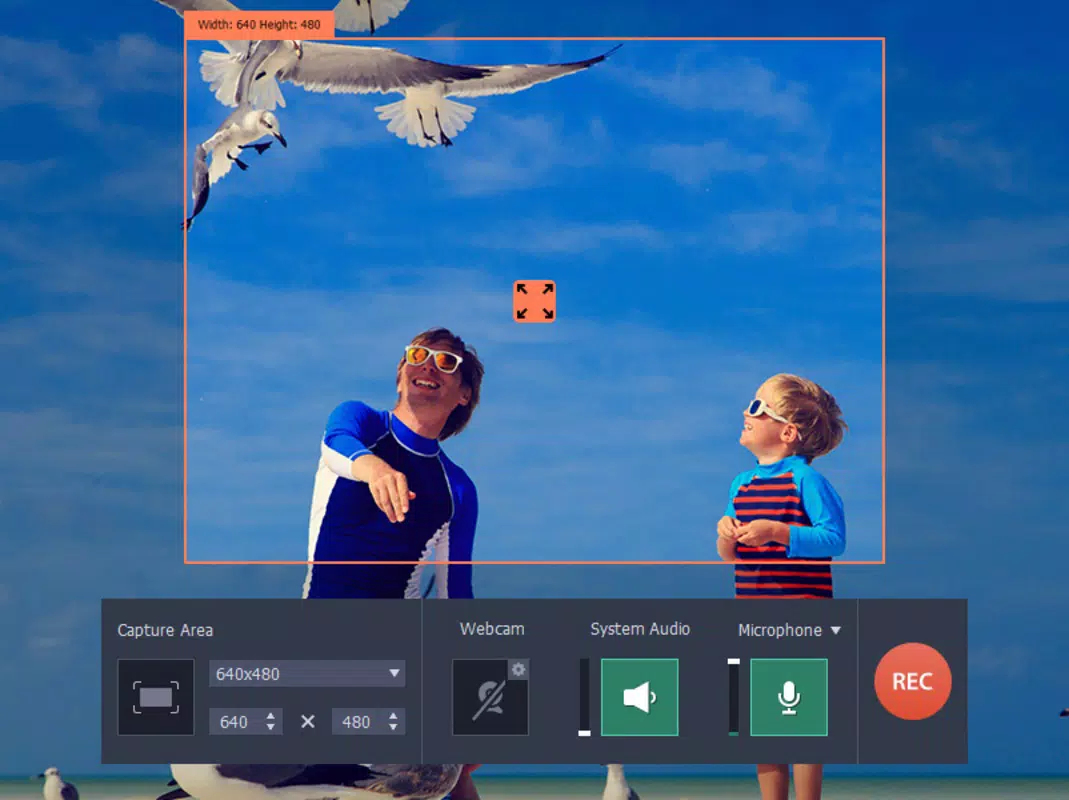
- Flexible Capture Modes – Offers customizable recording areas, from specific windows to full-screen capture, allowing users to focus on relevant content.
- Simultaneous Audio Recording – Supports dual audio input: system audio and microphone, enabling voice commentary or ambient sound capture during recordings.
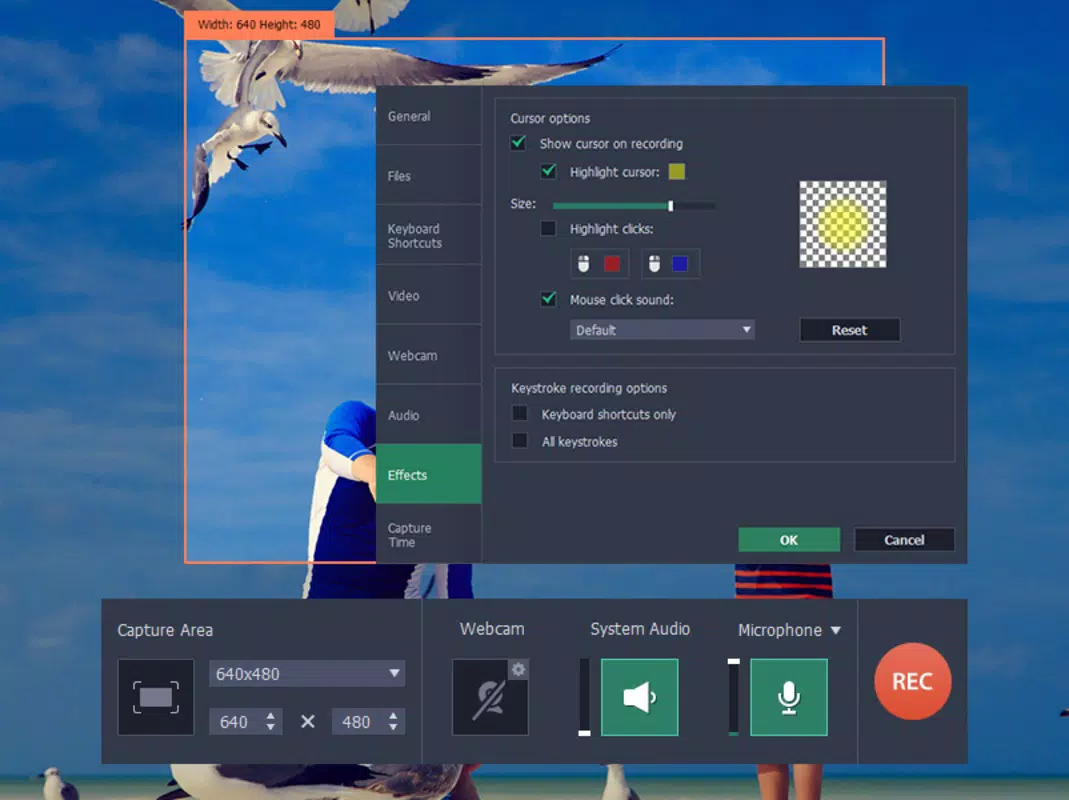
- Customizable Mouse Effects – Users can highlight mouse cursor movements and clicks, improving clarity in instructional videos.
- Multi-Format Export and Sharing – Converts recordings into various formats compatible with YouTube, Facebook, Vimeo, and mobile devices, streamlining the sharing process.
- Integrated Video Editing Tools – Provides basic editing functions such as trimming, cropping, and adding text or effects directly within the application.
For example, a teacher can record a step-by-step lesson using a specific software interface, enhance mouse actions for visibility, and export the video in a format optimized for classroom platforms. Similarly, a gamer can capture high-speed gameplay with minimal lag and share it directly to social media. These features collectively support a seamless workflow from recording to distribution, enhancing user efficiency and content quality.
Interface, UX & Performance
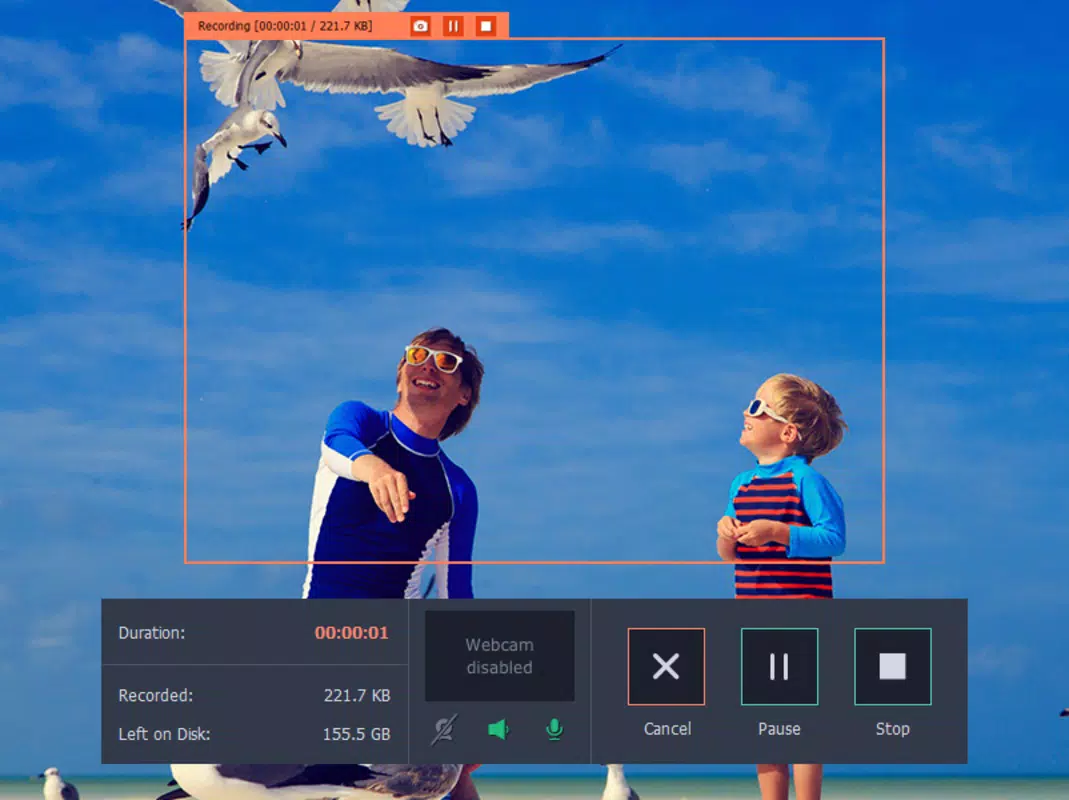
The user interface of Movavi Screen Capture is designed with simplicity and functionality in mind. The main dashboard presents essential controls—start, stop, and settings—within a clean, uncluttered layout. Navigation is intuitive, with clearly labeled buttons and a logical sequence for initiating recordings. Visual feedback during recording, such as a countdown timer and real-time preview, enhances user confidence and control.
Although the developer did not list formal performance metrics, the software operates efficiently on modern Windows systems. Users can expect consistent responsiveness during recording sessions, with minimal impact on system resources. Stability is maintained across different screen resolutions and display configurations. The application handles high frame rates smoothly, ensuring that recordings remain fluid and free from dropped frames. While specific device compatibility details were not disclosed, the tool appears optimized for standard desktop and laptop environments.
Platform Compatibility & Technical Requirements
Movavi Screen Capture is available exclusively for the Windows platform. The current version is 2.2.2, with a file size of 48.5 MB. The developer did not specify minimum OS requirements, nor did they provide details on supported hardware configurations. This lack of technical disclosure means users should verify compatibility with their system specifications before installation. The app is designed for desktop environments, and no information was provided regarding mobile or cross-platform availability.
Pros and Cons
Pros
- High-quality 60 FPS recording for smooth playback
- Flexible capture area selection for targeted recording
- Support for dual audio input (system and microphone)
- Customizable mouse highlighting for improved clarity
- Direct export and sharing to major social platforms
- Integrated video editing tools for quick post-production
Cons
- Platform limited to Windows; no iOS or Android support
- Specific system requirements were not disclosed
- Price point may be high for casual users
- No mention of cloud storage or automatic backup features
- Advanced editing capabilities were not detailed
FAQ
Is Movavi Screen Capture safe to download and install?
Yes, Movavi Screen Capture is a legitimate software developed by a recognized multimedia company. As long as it is downloaded from the official source, the app is secure and free from malware.
Can I use Movavi Screen Capture on multiple devices?
Specific licensing details were not provided. Users should refer to the official website or purchase terms to determine if the license supports multiple installations.
Does Movavi Screen Capture support recording video games?
Yes, the software is designed to handle high-frame-rate content, making it suitable for recording video games with smooth motion and minimal latency.
Is there a free version of Movavi Screen Capture?
The app is available for purchase at $29.95. No free version or trial was mentioned in the provided information.
How do I update Movavi Screen Capture?
Updates are typically delivered through the official installer or the developer’s website. Users should check for the latest version on the Movavi official platform to ensure they have the most current build.
Final Thoughts
Movavi Screen Capture delivers a robust, professional-grade solution for anyone needing to record and share on-screen content. Its combination of high-quality recording, customizable settings, and seamless sharing options makes it a strong choice for educators, content creators, and professionals. While the lack of cross-platform availability and detailed system requirements may limit accessibility, the app’s core functionality remains highly effective for Windows users. For those seeking a reliable screen capture tool with built-in editing and export features, Movavi Screen Capture offers excellent value. The ability to record at 60 FPS with dual audio support and highlight mouse actions sets it apart in its category.
Download Movavi Screen Capture now


